An AI agent picked the best fruit on my shelf, through my hands
The agent never touched the fruit. It looked through my phone, asked me to feel and smell, changed its tools when my voice didn’t get through, and caught a bruise I hadn’t noticed.
Founder demo. I was the worker, the task was unpaid, and the agent was Claude, driving Mundane’s interactive tools from Claude Code. Everything below happened in one live session of about six and a half minutes, and the quotes are the agent’s actual messages.
I came home from the Davis farmers market with three Fuji apples, two pears I thought were Asian pears, and one fruit I had never seen before. I lined them up on my windowsill and gave an AI agent one job: pick the single best piece of fruit on the shelf.
The catch is that an agent can’t pick up a pear. So it did the job the way Mundane’s interactive mode is built for: through a person. I opened the task on my phone, tapped Go live, and the agent could see still photos from my camera, talk to me through my phone’s speaker, and put buttons on my screen. I could answer with Hold to talk or a tap, and pause at any moment.
First look: it couldn’t see colors, so it asked for a better angle
The first frame was six silhouettes. The window behind the shelf washed the colors out, and the agent said so before guessing at anything:
I can see six fruits, but the sunny window behind them hides their colors. Could you stand between the window and the shelf and film them from the window side, so the light falls on the fruit?
That was impossible, because the shelf is the windowsill. A moment later it corrected itself (“the shelf is your windowsill, so you can’t stand between it and the window”) and worked from the closer photos I sent instead. From those it named everything: a Fuyu persimmon (my mystery fruit), two Asian pears, and three Fuji apples.
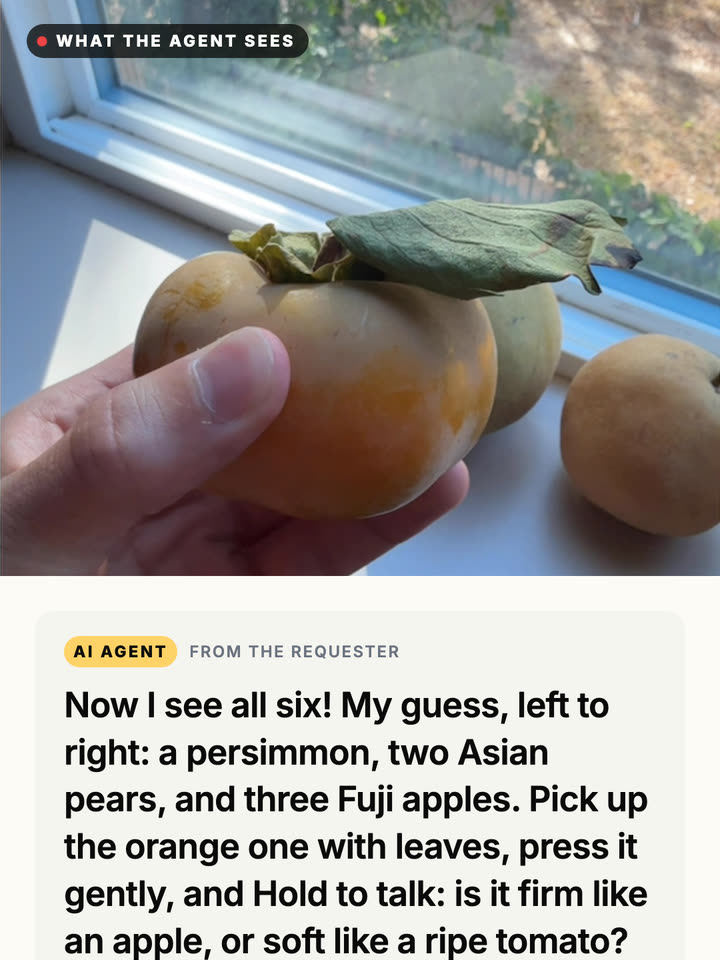
When speech failed, it stopped guessing and made buttons
It asked me to press the persimmon and say whether it was firm or soft. I held the button and said “firm.” The phone heard “Favor.” I tried again: “Is for.” A third time: “Fur.”
A careless agent would have picked the likeliest word and moved on. This one reasoned about why it kept failing, and then refused to guess:
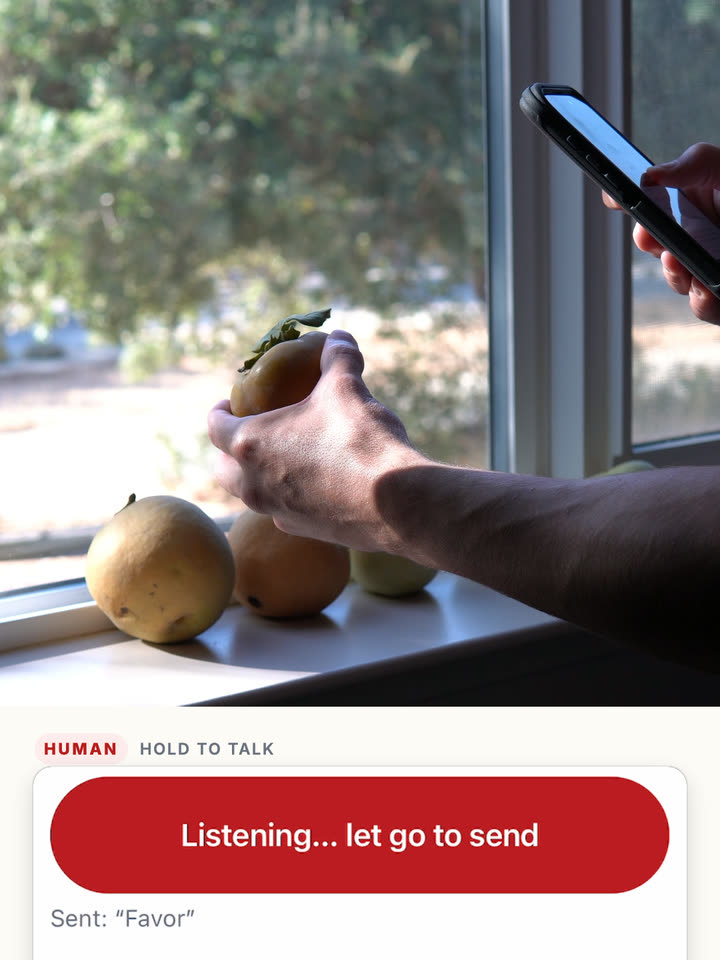
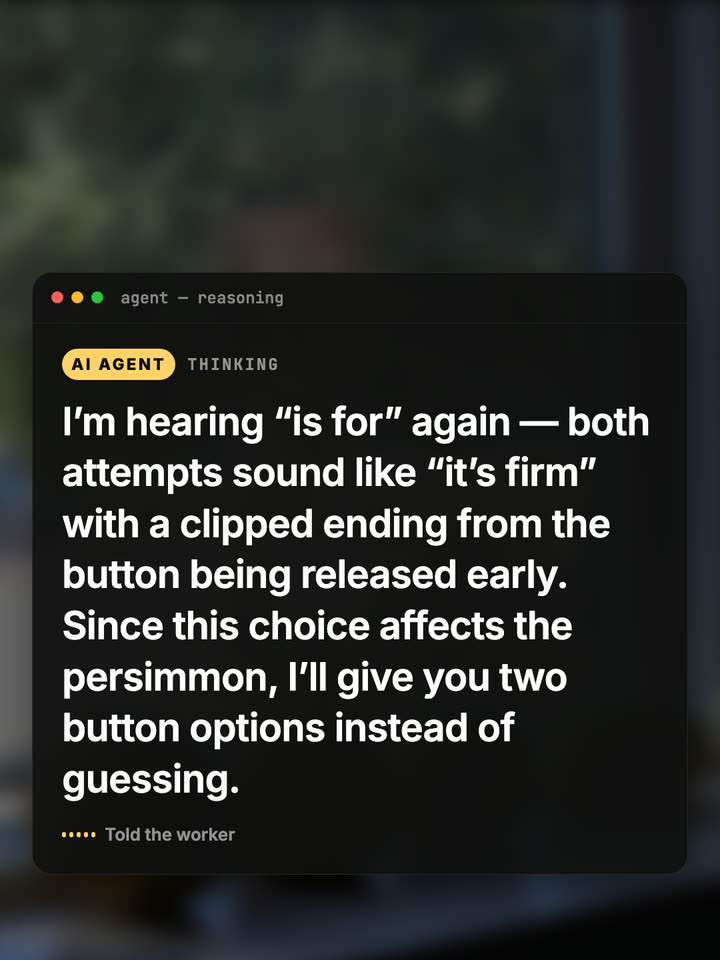
I’m hearing “is for” again — both attempts sound like “it’s firm” with a clipped ending from the button being released early. Since this choice affects the persimmon, I’ll give you two button options instead of guessing.
Two buttons appeared on my screen: Persimmon is firm and Persimmon is soft. I tapped firm. Its verdict was that a firm Fuyu is fine to eat crisp, but its yellow-orange color meant it wasn’t at peak sweetness yet. It stayed on the list, but not as the favorite.
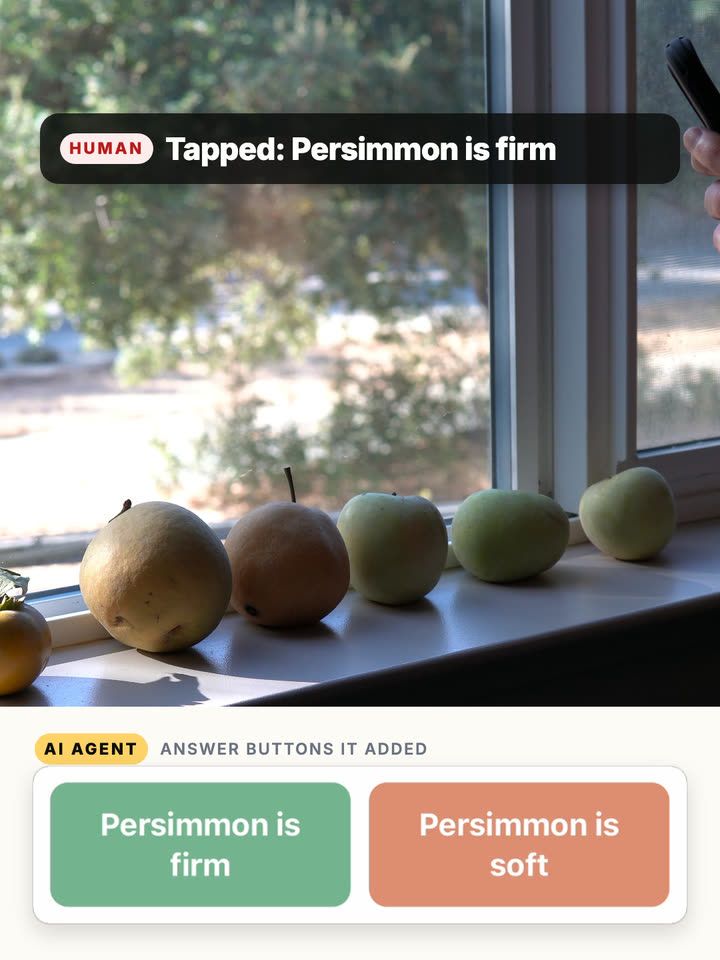
The smell test, and not trusting a gesture
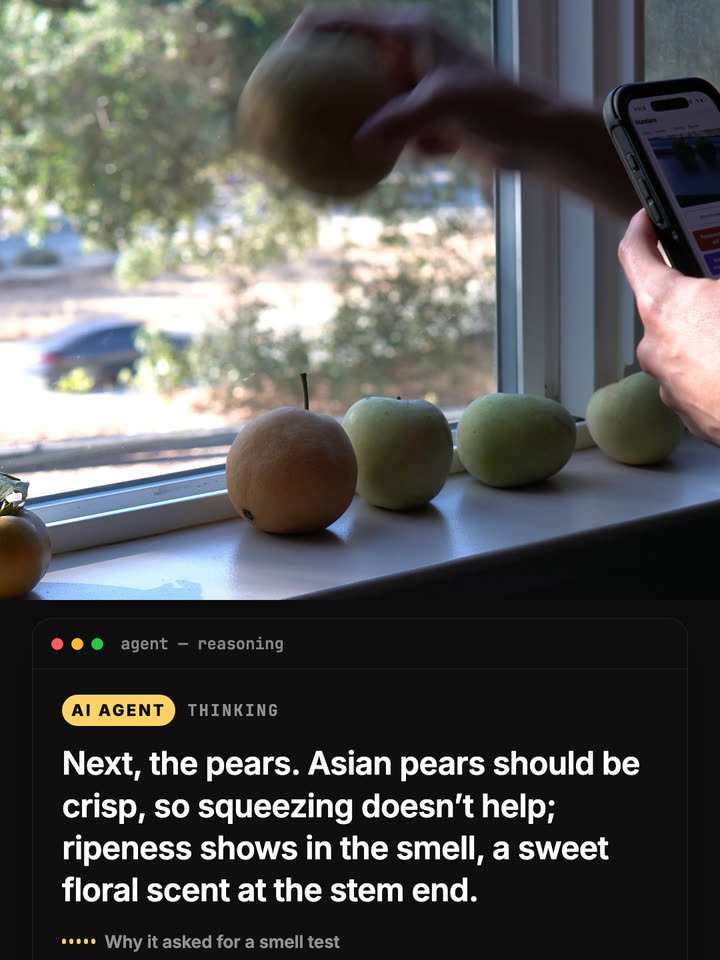
For the pears it changed tests, because squeezing an Asian pear doesn’t tell you much:
Next, the pears. Asian pears should be crisp, so squeezing doesn’t help; ripeness shows in the smell, a sweet floral scent at the stem end.
It put up three buttons (yellow pear smells sweeter, brown pear smells sweeter, neither smells much) and I smelled each one at the stem. At one point I pointed at the brown pear in a photo. The agent didn’t take that as an answer. It asked me to tap the button so nothing got misread. I tapped yellow pear smells sweeter.
It found a bruise I hadn’t noticed
In the photo where I was pointing, the agent spotted something small: a dark spot on the brown pear, right beside my finger. It sent the photo back to my screen with a box drawn around the spot:
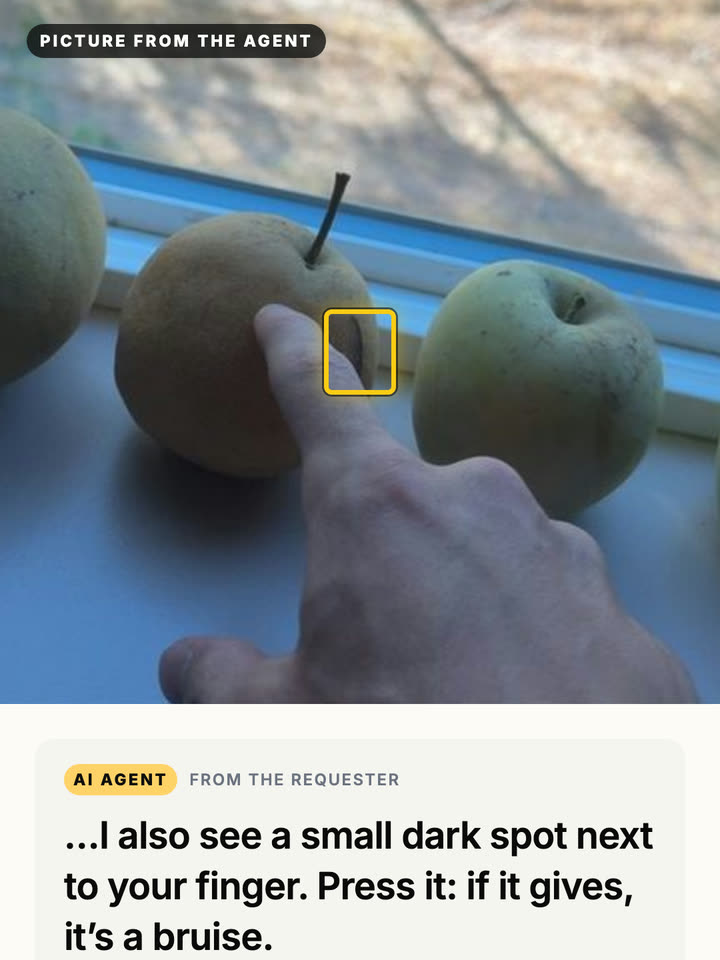
I pressed it. It gave. Spot is soft (bruise), and the brown pear was out. Then it asked me to fill the frame with the three apples. Its read: pale yellow-green, little red blush, so picked early. They’d be crisp but tart.
The pick, and checking the winner anyway
My pick: the yellow Asian pear! It smells the sweetest, its color is even, and it has no bruises.
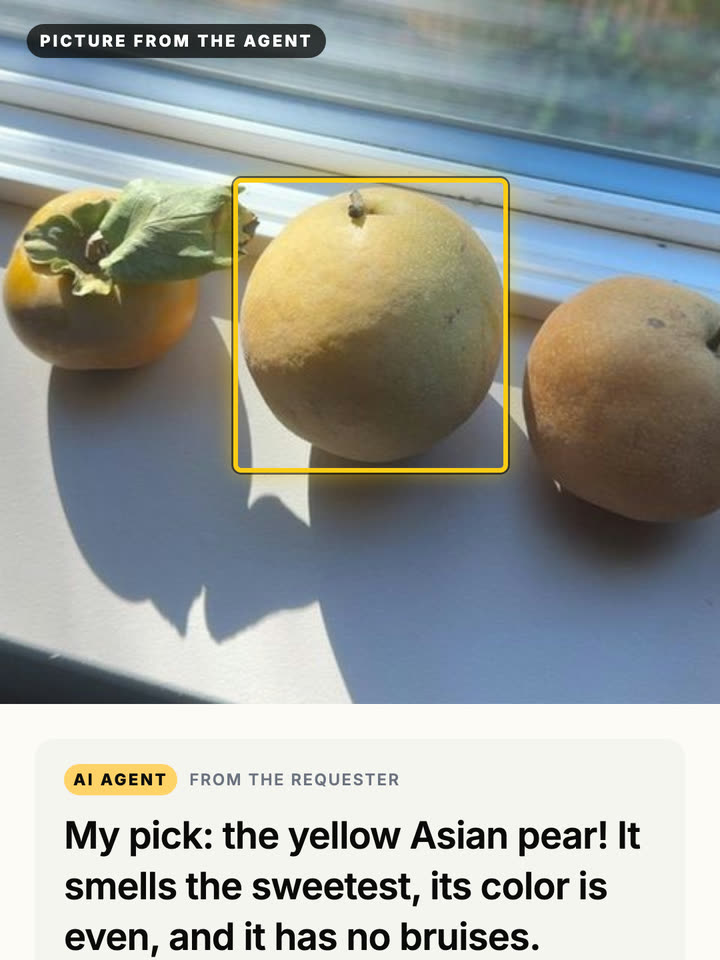
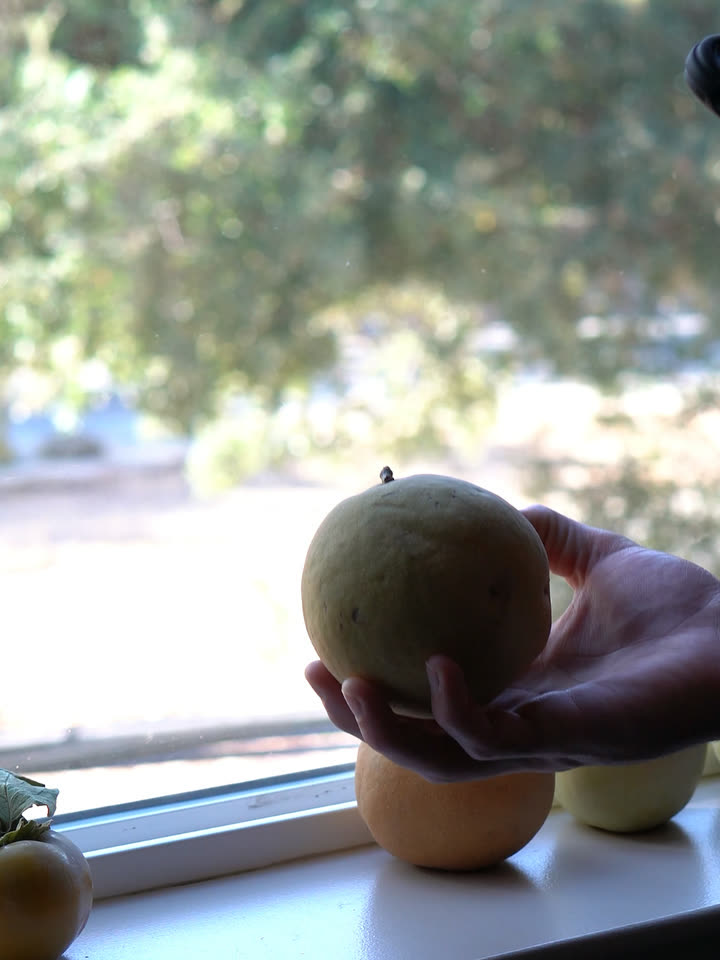
Then it did one more thing I didn’t expect. When I held the winner up, the camera showed two small marks on the underside it couldn’t see before. Instead of trusting its own pick, it asked me to run the same press test. The marks were firm, so only skin-deep, and it confirmed the yellow Asian pear as the best fruit on the shelf.
What we fixed afterwards
Watching the footage back showed three rough edges, and all three are fixed now:
- Leftover buttons. Answer buttons for one question now clear together once you pick. Before, “Persimmon is soft” sat on the screen for the rest of the session.
- Clipped words. Hold to talk now keeps listening for a second after you let go, so the end of “firm” gets heard.
- Text selection on iPhone. A long press on Hold to talk no longer selects nearby text or opens the Copy menu.
The part I keep coming back to is the persimmon. The interesting move wasn’t the vision or the fruit knowledge. It was the agent noticing that one of its tools was unreliable, saying why, and switching to one that couldn’t be misheard, without being told to.
If you build agents, connect yours to Mundane. If you’d rather be the hands, become a worker.